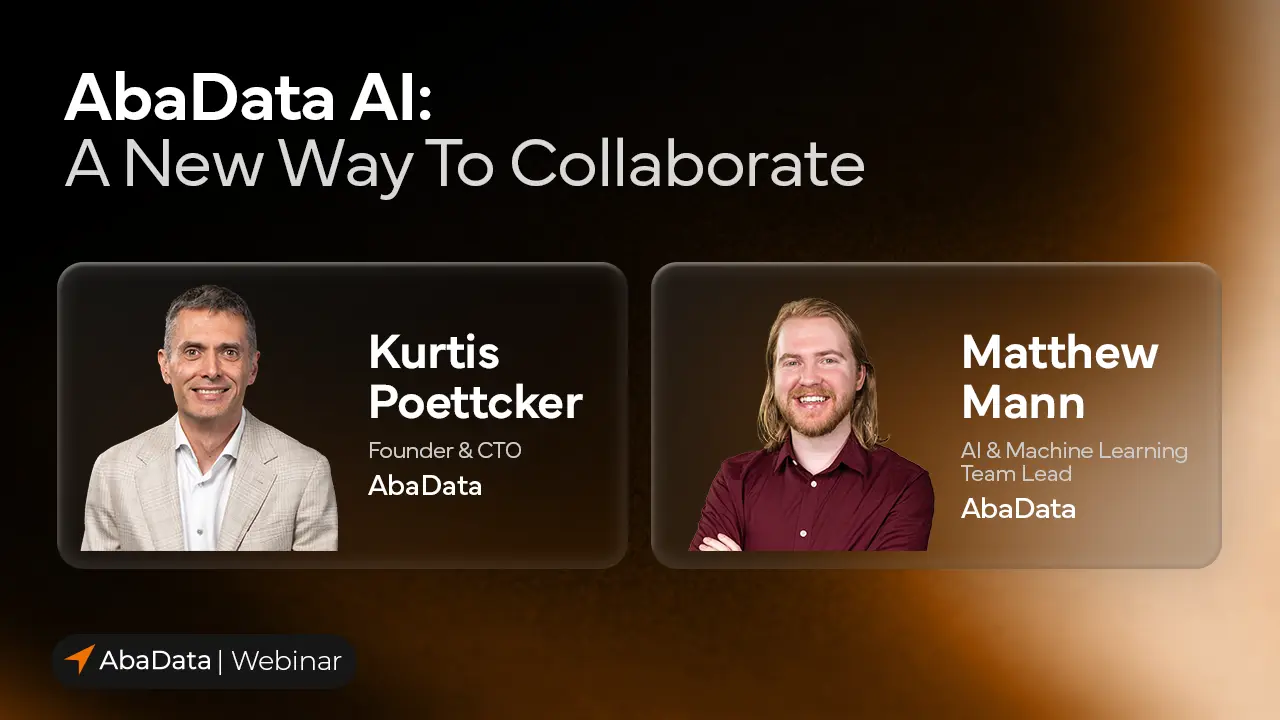
Watch AbaData’s CTO and AI & Machine Learning Team Lead provide a live demonstration of the AI Assistant’s new collaboration capabilities. See how colleagues in the office and field can combine their expertise, share observations, and investigate operational questions together—with everyone building on the same data, context, and answers.
In this session, we explored how the latest updates to the AbaData AI Assistant are opening up new ways to work with your data and your team. Our live demonstrations showed how expanded spatial capabilities, file uploads, customizations, and shared conversations can help your organization work more efficiently.
See how colleagues can work together in a shared AI Assistant conversation, combining operational data with their own expertise and observations. We demonstrated how the AI Assistant contributes when relevant, while leaving room for teammates to communicate directly.
See how the AI Assistant’s expanded spatial capabilities help you investigate locations, explore relationships between assets, and bring geographic context into your analysis.
Learn how to upload documents, ask questions about their contents, and combine that information with AbaData data to explore questions specific to your operations.
Explore personal and corporate customizations, how they work together, and what happens when instructions conflict—helping you understand how to tailor the AI Assistant to your organization and individual needs.
Discover how projects and project-specific customizations help organize your work and give conversations relevant context. We also demonstrated how to pin and clear conversations to keep your workspace manageable.
Learn about the proposed AbaData AI working group and how you can get involved, share your organization’s needs, and help inform future development.
Free to attend
Live demonstration
Recording available after the event
Maria Castro
"Hi, everyone, and welcome. Thank you for joining us today for the AbaData AI: A New Way to Collaborate webinar. My name is Maria Castro, and I'm one of the account managers here at AbaData. I'll be your host for today's session. We're excited to jump into the next installment in our AI webinar series, exploring how the latest innovations here at AbaData are enabling new ways to incorporate artificial intelligence into your workflows. If you missed our previous webinars, don't worry, the recordings are available to all AbaData users within the Support Hub. We will share a link to that in the chat, and the instructions on how to access those will be sent to you after the webinar.
Before we get started, just a reminder that this session is being recorded, and we will share the recording with all of you afterward. Questions can be submitted at the end using the Q&A panel at the bottom of your screen. If we don't get to your question today, we will make sure to follow up with you afterwards. As we've said before, our focus at AbaData has always been on helping our users better access, understand, and act on their data. And we're excited to share more about how we're leveraging AI to transform knowledge sharing and collaboration in today's session. Today, we're excited to have two presenters leading this session. First, Kurtis Poettcker, founder and CTO of AbaData, and you're in for a treat because he will be joined by our AI and machine learning team lead, Matthew Mann.
Today, they'll be walking us through the latest AI innovations here at AbaData, including file uploads, deeper research capabilities, and collaborative conversations. I'll hand it off to you, Kurtis and Matt.”
Kurtis Poettcker
“Thanks, Maria. Great introduction. For those of you who have not had the pleasure of meeting Maria yet, as she mentioned, she's an account manager here at AbaData, and she just does a spectacular job. So, please reach out, if you're interested in, in, in meeting her. As she mentioned, I am joined today by Matt. We're doing things a little bit different on this webinar. And I thought it would be great to bring Matt along. Matt and his team are responsible for all of the work that goes into the AI Assistant and all of the machine learning applications that we use here at AbaData. They're doing a great job, Matt's providing great leadership, and I'm excited to do this today with you, Matt.”
Matthew Mann
“Absolutely, I'm excited as well.”
Kurtis Poettcker
“Right on. Let's, let's get into it after the pleasantries.”
Matthew Mann
“Perfect.”
Kurtis Poettcker
“Thank you all for joining us. We had… Always a surprising amount of interest in these webinars, and… We're just… we're just really appreciative that you have all chosen to spend these 45 minutes with us, and we're… our aim is to make them as valuable to you as we can, so… If you participated or watched our previous webinars. You'll know, sort of, the routine. We have a… A demo environment that we jump into. It has a fictional company called Tranquility Resources loaded into it that has access to all of our products, so Field Ops. Equipment Management, Pipeline Integrity, and of course, our AbaData maps. And, shortly, our Task Scheduler as well, is, is available inside of this demo environment.
We're isolated from the real AbaData, but we encourage you to join us as we're going through these different scenarios inside of AbaData. Everything you're going to see today is available to you live inside of AbaData today. We're not… Pulling any smoke and mirrors, everything is real and exists inside of the application. We will be drawing from data that you may not all have access to. But again, if there's interest in getting some of these functions and these data points, please reach out and have a conversation with our support team. Very good. I think that's probably enough, enough talk. Let's dive into… let's dive into the application. I will start sharing my screen.
And you will see… The AbaData screen showing here. Again, you should all be very familiar with what this application looks like today. We're gonna set up a bit of a scenario today. The… really the focus here is on showing how to collaborate inside of the AI Assistant within AbaData. And so we thought it would make sense to have a bit of a role-playing scenario where I'll be playing the role of an operator out in the field investigating some issues relative to a well. And Matt, why don't you talk about your role?”
Matthew Mann
“Yeah, absolutely. I'll be playing the part of a production engineer who's gonna have more of a high-level scope of what's going on with the well that we're going through today.”
Kurtis Poettcker
“Yeah, awesome. So… Let's dive into it. Within AbaData, to access the AI Assistant, for those of you who aren't familiar, there is a button in the bottom right corner here, and it just says AI Assistant. If you click on it, it opens up in a bit of a half-screen mode, so that you can share the AI Assistant and the map, and still have access to both. For today's demo, we're going to be relying on functionality that only exists in full-screen mode. And so, to enter full-screen mode, you simply just click on the full-screen button, and you'll see it expands to take up the entire screen. This reveals more functionality. You have access to your chat history on the side.
Where you can see customizations, pinned chats, projects, that you're able to… Start up and create, and then your entire, history of recent conversations, and you can scroll down through those to visualize them. All conversations are kept, and you can re-engage the AI Assistant on any of your previous conversations. So click on them, open them up, and continue prompting, and it will continue the conversation. We mentioned customizations. That's new since our last webinar, and I think probably worth just quickly talking through what customizations are all about. If you click on the Customizations button. you will see it's divided out into two sections. There's chat customizations at the top.
And corporate customizations at the bottom. The difference between those two types of customizations is corporate applies to every user under a contract, and only contract admins are able to set corporate customizations. An example of a good corporate customization would be… We work for Tranquility Resources. Its AER business code is XXXX. Now, all of the users that are using AI Assistant under my Tranquility Resources contract We'll have that context delivered to the AI Assistant automatically, and users won't have to specify what company they work for. Obviously, you can… you can go a lot deeper than that, but that sort of sets the stage. Chat customizations are individual per the user.
So I have my own, Matt has his own, even though we exist under the same contract. There's a hierarchy of the way customizations are applied. If Matt were to come in and set his customization to say, I work for… Canadian Oil Company. It would essentially ignore that, that customization, because as a corporation, we've decided we work for Tranquility Resources. So that sort of explains a little bit about how the hierarchy works. To create customizations, you can just click on the Add Customization button. That's one way, or I'm gonna show you a new way in a chat here as well for you to do that, and so we'll just dive into a new chat. I'm gonna don my operator hat and start customizing my chat experience here.
And I'm gonna just simply say. I usually use AbaData on my phone. Please. Keep. Responses short and to the point. And I'm just gonna hit go here. just like a regular chat, it's gonna come up, and it's going to respond, so the AI Assistant says, got it, I'll keep the responses short and phone-friendly. What can I help you with? But you'll notice, just above the chat, or the prompt window. There's a little blue bar that's popped up, and it has just said, remember this preference, I usually use my phone. If I say yes to this. You'll see a little 1 shows up next to my customizations. It's now added that fact into my customizations for me. So, I can either add them as I showed before by clicking Add, or you can prompt your way into a customization as well.
And that's, that's essentially the workflow to do that. Okay, we'll continue on with the roleplay here. I'm going to minimize my AI Assistant, and I'm going to open the map up to a well that I'm responsible for as an operator. You can see it's highlighted here in yellow. I can double-click on it, it will open up. I've got the same information all of you are able to see on this well. Including production, so I can come in here and I can look at the production on this well. Now, what you can't see is in my Field Ops, I am actually receiving daily production values into the database that I can access, and so can the AI Assistant.
As an operator, I've noticed that these production values have been declining unexpectedly. And that sort of sets the stage for what we're going to be investigating in the AI Assistant. So I'll return back to the window, and I'll open up another prompt, and I will just simply say, look into the production of this, well. And hit enter. Now, the AI Assistant has context of the map window. It knows that I have a well selected, and when I don't specify a well, it's gonna make that link between My asking about this well, and the highlighted well on the map, and assume that we're talking about the same… the same well.
Matt, why don't you talk through a little bit about, at this point, what the AI Assistant is doing behind the scenes?”
Matthew Mann
“Absolutely. So, the AI Assistant is now in something called research mode, and it's going to keep updated, Kurtis on what's going on, so that's that little bit of text below where he… below where his message is. And what it's doing behind the scenes is it's querying the AbaData data, including the data in Tranquility Resources' Field Ops, Pipeline Integrity, and that daily production… those daily production values that Kurtis had mentioned. And so behind the scenes, it's running all of these queries, it's coming up with charts. And it's producing reports so that it can give you the best in-context answer, with all of the data to supply that answer.”
Kurtis Poettcker
“Awesome. Thanks, Matt. And you'll see we have a response here. It's gone ahead and identified that… Prior to August, or, sorry, October 14th, we had production between 115 and 118 cubes per day. However, recently, that has dropped to about 76 cubes per day. So it's agreed that the production has, in fact, been dropping. It's identified some averages here. You can see it's created a nice-looking graph to also chart out that dramatic drop there in production. So now, I'm going to go back into my Assistant, and I am going to… provide some supplemental data. Now. As an operator, I have availability and visibility into the chemical treatment recommendation that was provided by the chemical vendor on the program for this particular well. I can see it here, it's in a PDF.
What I'm going to do is now upload this PDF. into the AI Assistant to give it a little bit more context than it has available right now. So I click on the paperclip icon, I can either drag the PDF onto here, or I can browse by double-clicking. You'll see it's listed there, and I hit upload. You can upload several files at once, you don't have to just do one, but in this case, we're going to keep it, we're gonna keep it to one. And I'm going to come in and prompt here, and I'm just gonna say, use this to look deeper. Into… what's happening? at this well, and hit go.
Matt, why don't you talk a little bit about the file uploads? What do we support? What do we not support?”
Matthew Mann
“Absolutely. So, file uploads are a new feature since the last webinar, and we support various file types. File types includes PDFs, images, Excels, CSVs, all of those types of files each have their own integration, where the research bot is going to go in. It's going to query that data alongside querying, AbaData's data. So it's going to take all of the data, the image, the image, whatever's in your images, it's going to use all of that together in order to get you the best answer possible, while still using your data, from the PDFs or the Excels, well integrated into the data.”
Kurtis Poettcker
“Yeah. We have a great example, if we have time, we'll get into it and show, but we have an example of a pig that's just come out of a pipeline, and it's just a JPEG that was uploaded. And you can ask questions about the debris that's on the pig, so… You can really get in and do some advanced analytics on these file types that you're uploading.”
Matthew Mann
“Absolutely, and the AI Assistant is also loaded with a lot of extra information about the industry, and so it knows what pigs are, what to look for, everything like that, so it should be able to give educated answers instead of guessing, even beyond your data.”
Kurtis Poettcker
“Awesome, that's great. Back to the AI Assistant here, you'll see we have our response. So it's… it's… in this case, it's identified the cause, or what it believes is likely the cause of the drop in production, and that's gonna be, paraffin or wax buildup, in… inside the well. You can see here, the recommendation is 8 liters per day, And it's asking us to confirm that we are, in fact. Injecting at 8 liters, 8 liters per day. Now, if we could have made this demo a little bit smarter, we could have actually gone through and done a chemical inventory or chemical management module inside of Field Ops.
And the AI Assistant would have access to see that, in fact, we're only injecting at 1 liter per day, and it would have identified that immediately as an issue. But at this point, I have more or less taken This… conversation, as far as I can, with my limited skill set, And so I'm gonna loop in my production engineer, who in this case is Matthew. To do that, I come up into the top right corner of the screen. And I hit this Invite People to Chat button. I can click on this, In this window that opens. You see there's a couple of options. The first one here is to give the chat a name.
I'm not going to do that, but if you are more organized than I am, you probably want to keep your chats named something meaningful, rather than having them auto-named based on the first prompt of the chat. But that's how you would do that, change the name here. In this case, I'm just gonna start looking for Matt, and as I start typing his name, the results will change, and I will see Matthew Mann listed there. I'm gonna click there to select him, and hit the Done button. On Matt's laptop now. He's logged into AbaData. He has gotten an alert that he's now been added to a chat inside of the AI Assistant.
He's able to go inside that AI Assistant, visualize the chat. And he will have access to the entire history of everything we've talked about. So all the way back to the start of my chat, Matt's gonna have visibility. And he's gonna read where we are, and, take over from here.”
Matthew Mann
“Yeah, absolutely. So now, on my laptop, I'm actually in this conversation. Just to go back on the titling as well, there's plenty of organizational features that we've added recently. So one of the big ones is projects. So, this conversation is now a collaborative conversation. But you can also have collaborative projects, and so if Kurtis was to add this to a project, we would be together on that project, and every conversation from there would be collaborative inside that project. Now, what I'm going to ask is the production engineer, and I've just read through this conversation, is I'm going to ask it to research deeper into our connectivity and see if there's anything downstream.
So I'm gonna say research a little deeper, into the connectivity… To see if this is being caused by anything downstream. And as you can see now, it's up on Kurtis' screen as well. Another thing that's, wonderful about this, this interactive, collaborative conversations is that you don't just need to be getting one response at a time. So right now, Kurtis could also be asking a separate, parallel question, and the AI would be working on both responses at the same time. So, you would have multiple agents going out, doing their own independent research to come back and answer each person's questions individually.”
Kurtis Poettcker
“So, as Matt suggested, I am going to try to help him out here, and… Added my own prompt, just to see if maybe… The issue could possibly be related to nearby wells. Something else that is new since our last webinar is the AI Assistant now has a lot more spatial capabilities. So, we're able to perform all types of spatial queries and operations to identify potential nearby features, or intersecting features, or ground elevation, or soil type, or environmental data sets, any layer you can see inside of AbaData can now be accessed by the AI Assistant. Something else, I think, while we're waiting for this, these responses to come in… is the chat AI Assistant is able to recognize when it should respond, and when it should just mind its own business. So, Matt, my production engineer here, if he were to say something to me directly, the AI Assistant will not respond to it, so it'll recognize that, in fact. Matt's saying, thanks, Kurtis, this is good. It doesn't… that does not warrant a response from the AI Assistant, and I'll be able to… we'll be able to actually chat back and forth without the annoyance of having an AI agent provide its input into our conversation.”
Matthew Mann
“Absolutely. You can imagine that these conversations are a little bit akin to me, Kurtis, and the AI all in one conversation, so that the AI can chime in whenever it has something useful or relevant. And anytime that it doesn't, and it's just me and Kurtis talking, it should be able to recognize that it is not needed in that instance.”
Kurtis Poettcker
“Great. While we're talking about collaboration, we should talk about permissions, and how does that work in a collaborative environment?”
Matthew Mann
“Absolutely, I think that's a great topic and a great question to bring up. So, when I send a message, the AI might respond directly to my message, and within that, any data permissions are the permissions that I have given the AI Assistant. So if I have a module that Kurtis does not have access to, or Kurtis has a module that I do not have access to. It can be accessed in this conversation, only when that person, discusses or asks about that, that module. If Kurtis was to ask about a module he does not have access to, it would not, it would not be able to answer that question for him.
Additionally, you'll see that it's going to respond to my questions, and it's, it might call me Mr. Engineer. That's because I have a customization where I like it to call me Mr. Engineer. And Kurtis does not have that customization, and so it will look at my customizations for my responses, and it will look at Kurtis' customization for responses to Kurtis' messages.”
Kurtis Poettcker
“Yeah. Awesome. I like to think about the permissions, as if we're having a conversation. You had a great, a great, example there. If I invite Matt into my office. where I have some documents that I want to discuss with him. I'm essentially giving Matt implicit permission to see these documents. I've invited him in, I'm sharing the information with him. It may be information that he's not privy to, so in a normal situation, Matt would not be able to access this information. But, because I've invited him in, he's able to visualize it. We apply that same logic and rules to the AI Assistant collaborative conversations. By adding Matt to this conversation, I'm implicitly giving him permission to see the information that I have access to.
As soon as Matt goes into his own… starts a new chat in his own instance. he loses all of that implicit permission. So, he can ask about the data that he saw, but he's not going to get a response, because he doesn't have that permission. So, important distinction. I think it's important everyone understands the implications of adding somebody into a collaborative chat.”
Matthew Mann
“Absolutely. And also, for now, you're only able to add people to a collaborative conversation that are part of the same contract as you, so that restriction exists as well.”
Kurtis Poettcker
“Yep, that's a good point. I forgot about that. We did not, we do not allow third-party collaborative conversations at this point, within, within the AbaData ecosystem.”
Matthew Mann
“So if I truly worked for Canadian Oil, and Kurtis worked for Tranquility. We
would not be able to do this webinar.”
Kurtis Poettcker
“Yeah, absolutely.”
Matthew Mann
“Exactly right.”
Kurtis Poettcker
“Thank goodness. So, back to the AI Assistant. We have both of our responses now. And you can see, just to refresh you, Matt's conversation was asking there about… the connectivity, and is it being caused by anything downstream? So, what the AI Assistant is gonna do with that ask is analyze our connectivity algorithm that exists as part of Pipeline Integrity. So, our Pipeline Integrity tool connects wells to pipelines, to facilities, to sales points. And you have basically a whole flow network that exists. The AI Assistant knows how to access that flow network, understands how it works. And is able to navigate that flow network to determine what may be up or downstream of a particular well. And in this case, it's identified what the well's gathering system looks like.
In this case, we have 6 wells that are currently sharing this system. And we have more or less determined that the other 5 wells are not affected, and it's only been this one, so we know the issue is isolated to this well. my chat, I came in and I asked to look by nearby wells. So that's going to access that spatial capability that I mentioned earlier, where I'm able to use the AI Assistant to perform spatial queries, and it's gone through and looked at nearby wells and identified that there's 26, wells, and essentially their production curves are flat. So again, we know this isn't a regional issue, we know that this issue is related specifically to the, this particular well that we were talking about.
Yeah, over to you.”
Matthew Mann
“Yeah, absolutely. So now I'm just gonna ask the AI to put the main findings into a nice, concise table for me. That way I can take this to whoever needs it with a very easy deliverable that will simply have the information here.”
Kurtis Poettcker
“And as that one works, again, I'm a little impatient here, and I'm gonna go ahead, and I'm just gonna say, give me a plan… oops, Matt has the advantage of not letting everybody watch him type, and I do not have that advantage, so…”
Matthew Mann
“It should be noted, too, that even with typos, it should hopefully be able to recover as well.”
Kurtis Poettcker
“That's a great point. So here we've got Matt's response. It is going ahead and… summarized everything, all these findings, into a simple table that I can visualize here, or we can both visualize, actually, inside of our own environments. And as far as, my query and my prompt, it's responded here as well, and it said, you know, really, that chemical injection rate should be your primary focus on your next visit. And it's given a couple of other suggestions and some follow-up as well, so… Again, I think that more or less, shows really what we were after here in… the collaborative conversation. sharing data and insights back and forth, getting the AI Assistant to access data already inside of AbaData, as well as supplemental data that you can upload into the system as well.
And have it, have it access that. now, why don't we just take a couple of seconds to talk about the roadmap? For the, for the AI Assistant, and what's coming down the pipe, with you and your team?”
Matthew Mann
“Absolutely. So, the, the team here is going to be working on a couple things, especially on two different fronts. So the first front that we want to work on, especially, is in integrations. So actually, one of them just came out today, if we, if we take a look. We want to be able to integrate the AI into more things than just the chatbot. We want to be able to integrate it into the workflows that you guys are actually using. And so if you right-click, and you click on the What's in this area button, now it's going to find all of the data and information about things in that area, and it's going to be able to quickly, hopefully, come back with an answer of what's in that area, a brief informational, if you will.
And then it's going to give you a chance to follow up, it's going to give you suggestions, Beyond that, we want to be able to add even more integrations into your workflows, and I think that's going to be a good thing, and hopefully useful. The second front that we want to be working hard on is, is on, Digitization. So, one of the, one of the common threads is that there's a lot of data out there. And it's hard to get that data transferred between pen and paper onto systems, and so we want to do a really big push on being able to digitize data very, very easily through the use of AI. So that would be document digitization and Field Ops digitization and those sorts of advances.”
Kurtis Poettcker
“Awesome.”
Matthew Mann
“So those are the, those are the main things that we're… we're working on integrating.”
Kurtis Poettcker
“Super exciting. As I said before, Matt and his team world-class. The tools they're developing inside of AbaData. Really sets us apart, from, from anybody else. And they're just doing really great work, so yeah, keep it up.”
Matthew Mann
“Thank you.”
Kurtis Poettcker
“Along those lines, Wanted to also talk about an initiative that we have coming up. We're sort of launching during this webinar. AbaData, since its very inception, has relied on input from users to really shape the direction and the features of the product. You know, we started over 25 years ago now, and really, we were a tool for Pipeline Locators. That's the company that founded the application. And… When we put the tool out to industry. we just collected all of the feedback, and the results of that feedback have shaped the product that you're using today inside of AbaData. We want to continue that theme. as we move into the AI Assistant world. And so.
We're spinning up a working group of AbaData users to help really shape and influence the direction of the AI Assistant. So, we'll meet on a somewhat regular basis, probably monthly to start. have direct access and influence over Matt and his entire team. They'll all be in the group. So… if AI and how we're applying it inside of AbaData interests you, or if better yet, if you think we're doing it all wrong, we really want you on this working group. To provide your input and your insights. And help us make a tool that can be as valuable for you as we can make it. So, if there's interest, there's gonna be a short poll or a short survey at the end of this webinar, and you can indicate that interest as part of that poll.
Also, a reminder, we're gonna move on to questions in a second. Please write any of your questions you have in the chat. And, I'll pass most of them off to Matt for entry there, but I'll chime in where I think I can provide some value. But yeah, for now, I think we will pass it over to Maria. And she can start, handling the questions that have come in so far.”
Matthew Mann
“Absolutely.”
Maria Castro
“Thanks, Kurtis and Matt, that was great. So we did have a bunch of fantastic questions that came in, so we'll take a few minutes to go through a few of those, and as a reminder, if we don't get to any of your questions, don't worry, we'll follow up via email after the webinar. So let's get to the first one. Is it only pulling publicly available data, or does it have access to the data collected in Oplynx by my staff?”
Matthew Mann
“Yeah, that's a good question. So, AI integration is something we're continuing to move forward with. Right now, it has access to a handful of your data that you pull in. Right now, the data supported is on Field Ops, Equipment Management, Pipeline Integrity, and connectivity, if I'm remembering correctly. We're continuing to integrate more of our products into the AI Assistant. So it's not just publicly… pulling publicly available data. However, if you do have tenanted data, we do have an opt-in system, so you'll want to talk to an account manager, in order to be able to enable that for your organization.”
Kurtis Poettcker
“Yep, great, and I'll just provide a little more context on Oplynx. So for those of you who are unfamiliar, Oplynx is a product that we acquired, about… just about two and a half years ago now. And unfortunately, at this time, the Oplynx-specific data is not integrated into the AI Assistant. However, our Field Ops tool It is native to AbaData, and therefore, that data set is accessible and can be analyzed and queried by the AI Assistant with your prompting.”
Maria Castro
“Thank you. Does the AI Assistant know API and the CTS standards?”
Matthew Mann
“There's a lot of industry knowledge that we've added to the AI Assistant. I'd have to go back and check on that one, just because it was a while ago that I added all that industry knowledge, but… it knows a lot of the regulations, that would pertain to the conversations that are happening in the AI Assistant, but I'll have to… for those particular ones, I'll have to go and double-check, so I don't have that answer right now.”
Kurtis Poettcker
“Yeah. One answer we do have around that is the… Model that is used by our Pipeline Integrity tool has been well trained on those standards, and understands them. And uses them to help shape the risk profile of the pipelines managed inside of the Pipeline Integrity Tool. those documents exist inside our ecosystem. We just, in this instance, aren't 100% sure that the AI Assistant also has access to that data, but we will find the answer to that and get back to you after the webinar.”
Matthew Mann
“Absolutely. And I should also note that much of that information is also dependent on if you have the Field Ops product, then it will use the Field Ops knowledge and related knowledge. Same with the Pipeline Integrity product and our other products. A lot of the knowledge that it gains is product-specific and only added If you are using that product, so that I can keep things relevant.”
Maria Castro
“Okay, wonderful. What are these modules? Are they extra datasets available for purchase, or user-created?”
Kurtis Poettcker
“Yeah, great question. So, the additional modules, I believe, that's being referenced here by this question. are our Field Ops, module, Pipeline Integrity module, Equipment Management Module, and now, shortly, the Task Scheduler module. Those are separate products. You will see them down below on the bar inside of your AbaData when you log in, and if you click on them, they will present a little bit more information about each one and what they do. Some of them can be user-created, but you do have to have the module as part of your subscription in order to manage them yourself.”
Maria Castro
“Great, and maybe one last question before we wrap up here, but as an operator, can we teach our internal standards to this AI permanently?”
Matthew Mann
“Yeah, absolutely. One of the cool things about customizations is that there's no character limit to the… or it's set very high, I believe, to the customizations, and so… Your customizations can be short rules, like, like was demonstrated today, or they can be long standards, and those can be applied as corporate customizations, so then all of those internal standards will be applied across the board, to everybody working in your organization.”
Kurtis Poettcker
“However, please don't take a 200-page PDF and try to copy and paste it into a customization. Instead, talk to us, reach out to the support team. If that's a valid use case, we absolutely support it. We don't necessarily support it through the interface, but we will support it on the backend. We would love nothing more than to enhance that AI experience. And make it as relative to your organization as possible. We would do that, no additional charge. We'll consume that. Process it and make it available to those users inside your organization, and it won't be available to those users outside of that organization.”
Maria Castro
“All right, well, since you guys are very concise with your answers, I think we have time for one more. So, can your AI move beyond data retrieval and collaboration to support genuine reservoir engineering analysis and decisions?”
Matthew Mann
“Absolutely, that's a great question. At the moment, the capabilities of the AI is mostly just for reading and finding insights on data, but it doesn't have anything to be able to you know, write new data or submit forms or anything like that. But as we move further into our AI integration, we want to add more and more capabilities to the model to allow for things like Advanced engineering analysis decisions, and just anything that you can imagine in your workflow. We want to be able to add more capabilities for letting you guys get that work done even easier.”
Kurtis Poettcker
“I want whoever wrote this question to join our working group on the AI Assistant, because that's the exact type of information that we're looking for. So, whoever that was, yeah, please, please indicate on the poll.”
Matthew Mann
“Absolutely, and I think it comes down to the core philosophy of what we want with this AI integration, is that we want to be continuing to advance it, and we want to be continuing to make it as easy as possible to use, and as easy as possible to get very good insights out of it. So, even in the last year, the changes that we've made have all been towards getting better integration, better collaboration, and improving the quality and the consistency of our insights.”
Maria Castro
“Great, well, thank you very much, and I think that's all the time we have for questions. Thanks again for all the great ones that came in and for joining us. If you are interested in learning more about our products, or how to utilize AI within AbaData, and would be interested in one of our team members reaching out to you, you can indicate that by answering the poll that's showing up on the screen now. Let us know if you're simply interested in learning more, or if you'd be interested in participating in the AI Working Group, to help shape the future, development. You'll receive a follow-up email later today with the recording of today's session, and instructions on how to access the recording, of Part 1 of this series through the AbaData Support Hub.
If you do have any further questions, please feel free to reach out to our customer success team at the link in the resources tab at the bottom of your screen. And with such great, fantastic responses from our users, we look forward to having you join us in future webinars just like this, where we will explore the latest innovations here at AbaData. Thanks for joining us, and we hope you have a great day.”
Kurtis Poettcker / Matthew Mann
“Thanks, everyone. Thanks!”
Maria Castro
“Thanks.”
Kurtis Poettcker is the founder and CTO of AbaData. For more than 25 years, he has led the development of software platforms that have become essential tools across the world's energy and utilities industries. Under his leadership, AbaData has built the industry's most comprehensive energy operations platform, serving over 30,000 users.
With deep expertise in GIS, software development, and energy data systems, Kurtis continues to drive innovation at AbaData, including the integration of artificial intelligence into the company’s next generation of products.

Matthew Mann is the AI & Machine Learning Team Lead at AbaData. His work has established AI-powered capabilities as a cornerstone of AbaData's software platform, built on the industry's most comprehensive oil and gas datasets. Since joining AbaData, Matt built the original AI Assistant and has spearheaded initiatives including BC Pipelines, Pipeline Integrity, and Digitization. Through these projects, he and his team have turned complex asset records into practical insights, helping clients answer new questions and get more value from their data.

Learn how AI is shaping the future of energy operations within AbaData.
Explore